Copy of the Electronically Signed Document Email Template
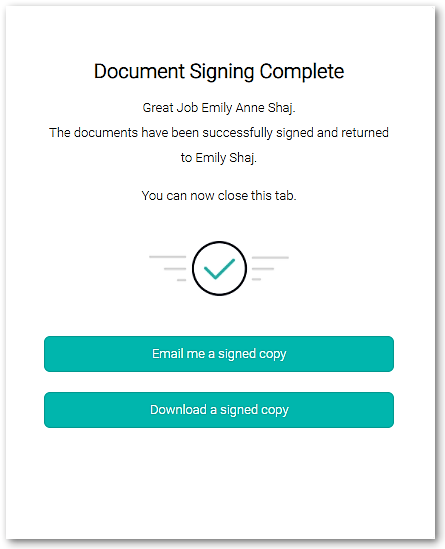
This email is generated when Email me a signed copy is selected after a document is electronically signed.
| Description | Code | Where is this information in CAS 360? |
| Company Name |
${companyName} |
Entered into the Company Name field in the General Details screen. |
| Company Label | ${CompanyLabels} | Name of the label attached to the company |
| Today's Date | ${Date} | Today's Calendar date. |
| Client Full Name (including Middle Name) | ${Client} |
Contact when sending the document. Default Signing contacts are stored in General Details. |
| Company Client Number | ${ClientNumber} | Client Number entered into the Company Info screen. In the Company Info screen, the client number is entered with Client Data |
| Client Reference number | Reference Number entered into the Company Info screen. In the Company Info screen, the Reference number is entered with Client Data | |
| Client Email | ${ClientEmail} | Contact email when sending the document. |
|
Partner Name |
${PartnerName} | Partner appearing in the General Details screen |
| Partner Name, Proper Case | ${PartnerNameProperCase} | Partner appearing in the General Details screen |
| Partner First Name and Surname only | ${PartnerFirstNameSurnameOnly} | Partner appearing in the General Details screen |
| Partner First Name and Surname only Proper Case | ${PartnerFirstNameSurnameOnlyProperCase} | Partner appearing in the General Details screen |
| Manager Name | ${ManagerName} | Manager appearing in the General Details screen |
| Manager Name, Proper Case | ${ManagerNameProperCase} | Manager appearing in the General Details screen |
| Manager First Name and Surname only | ${ManagerFirstNameSurnameOnly} | Manager appearing in the General Details screen |
| Manager First Name and Surname only Proper Case | ${ManagerFirstNameSurnameOnlyProperCase} | Manager appearing in the General Details screen |
| Username | ${UserName} | Name of the CAS 360 user from their Profile Management screen. |
| Firm Name | ${EntityName} | Name of your firm. |
Client Number and Company Name codes can also be used in the Email Subject
${Reference}