Redemption vs Share Buybacks
When a company issues shares and later decides to buy some of those shares back, this is considered a share buyback rather than a redemption.
When a company specifies that it will redeem or buyback shares when the shares are issued, this is considered a redemption. Generally, a specific date is specified as to when the shares will be redeemed when the shares are issued.
The major difference between the two is that the shares bought back in a redemption are considered a security that is expected to be bought back by the issuer.
Example: Jenny Quantum was allotted 100 Redeemable Preference shares on the terms that the company will redeem the shares from Jenny in 3 months. After 3 months the company redeems the shares from Jenny.
If a share redemption takes place, the changes must be recorded on your own share register and included in your next company annual return. The change can also be filed to ACRA via BizFile+ under Notice of Redemption of Redeemable Preference Shares
Navigation
|
From the Main Toolbar, go to Company |
 |
|
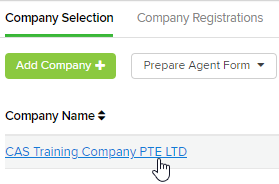
Select the Company from the list |
 |
|
Select Shareholders |
 |
Click 
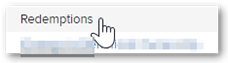
Select Redemptions
Instructions
CAS 360 will display the Redemptions screen

|
Field |
Explanation |
|
Transaction Date |
Input the date of the redemption. |
|
Shareholder |
In the shareholder field, CAS 360 will display a list of the company's current shareholders. |
|
Beneficial Owner |
CAS 360 will automatically prefill this field if there is a beneficial owner. |
|
Share Type |
In the Share type field, CAS 360 will display a list of the share types the shareholder holds. |
|
Number of Shares |
Input the relevant number of shares affected. |
|
Total Redemption Amount Paid |
Input the total amount the person will receive from the company for the share redeemed. |
|
Total Redemption Amount of Issued Share Capital |
Enter the amount payable for issued share capital in decimals. |
|
Total Redemption Amount of Paid up Share Capital |
Enter the amount of paid up share capital in decimals. For changes to partly paid shares, click here. |
| Redemption Type
|
Select the appropriate redemption type |
|
Meeting Status |
Select the meeting status of the member which will display on the Member’s Minutes |

|
Field |
Explanation (Transferor & Transferee) |
|
Certificate Type |
Select the Certificate Type |
|
Certificate Number |
CAS 360 will automatically pre-fill a number based on previous shareholder transactions. |
|
Certificate Location |
Enter the location of the Certificate |
|
Unique Numbers |
Type a Unique Number to assign to the shares |
Click 
Forms Prepared
By selecting Prepare Forms  CAS 360 will display the Document Production screen and automatically select the documents required:
- Cover Letter
- Register of Members
- Allotment Journal
- Directors Minutes or Resolution
- Notice of EGM
- Members Minutes or Resolution
- Members Consent to Short Notice
- Company Change Summary
- Share Certificate
- Redemption Letter
- Members Consent to Share redemption
- Solvency Resolution
Select the  icon to change any of the document settings. Different options will appear depending on the document type.