Overview
To list all the details of a company as a Company Summary Report.
The data included is:
- Company details
- Addresses
- Public Officers
- Authorised Representatives
- Ultimate Holding Company
- Officers
- Members
- Nominee Shareholders
- Registrable Controllers
- Issued Capital
- Trusts details
- Super Fund details
- Other positions
- Business Names
- Business Activities
- Company Notes
- Documents
Instructions
| From the Main Toolbar, navigate to Reports |
Select Company Report
CAS 360 will display the Report Filters screen.
| Report Filters | Explanation |
|---|---|
| Agent |
Filter the list of companies on the Agent selected for the company from the General Details screen. |
| Report Date | Set a Date to be displayed on the report. |
|
Company Status Option |
Filter the list of companies based on the company statuses. Click on a status to hide/display companies. Select |
| Positions and Holdings |
Select Current to display current shareholders and officeholders. Select All to display all current and previous shareholders and officeholders. |
| Label | Set a Company Label as a filter when preparing the Report. |
| Download Options |
Select Select |

Review the Report Settings tab to display additional information for the Company Report.
Select the toggle beside the options  to display the information on the Company Report.
Click to save the selected settings as default.
Select one or multiple companies, and click
Tip!
The Company Report can be exported as a PDF or Word document.
The company report can also be prepared from the Company, Addresses, Officers and Shareholders screen
| From the Main Toolbar, go to Company |  |
Beside the company, click 
Select Download Co. Report
OR
| From the Main Toolbar, go to Company. |
|
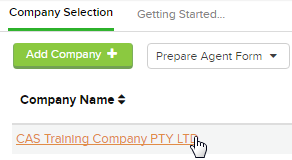
| Select the Company from the list. |
|
| Select Officers, Addresses or Shareholders |  |

Beside the company, click
Select Download Co. Report