To check whether you are the Adobe group admin user:
Log into your Adobe Sign application
1. Select Account on the top of the application
2. Select Users from the left-hand menu
3. Select the user you will like to view the permission
4. Click Edit User
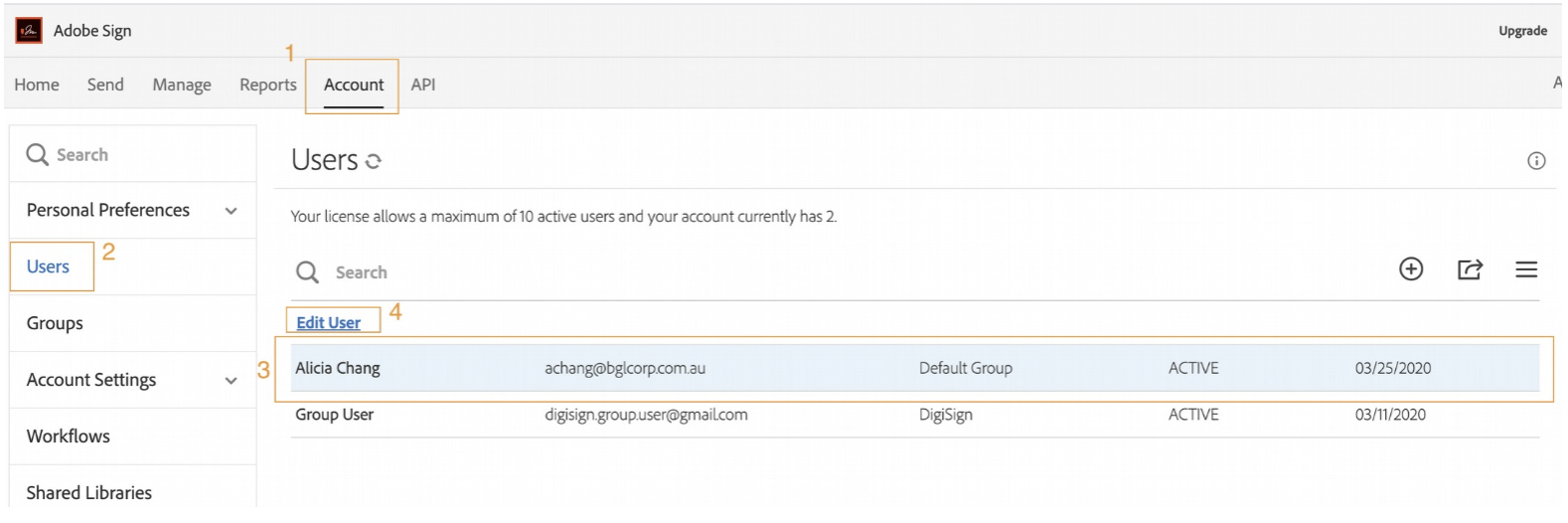
Edit user page will display as below:
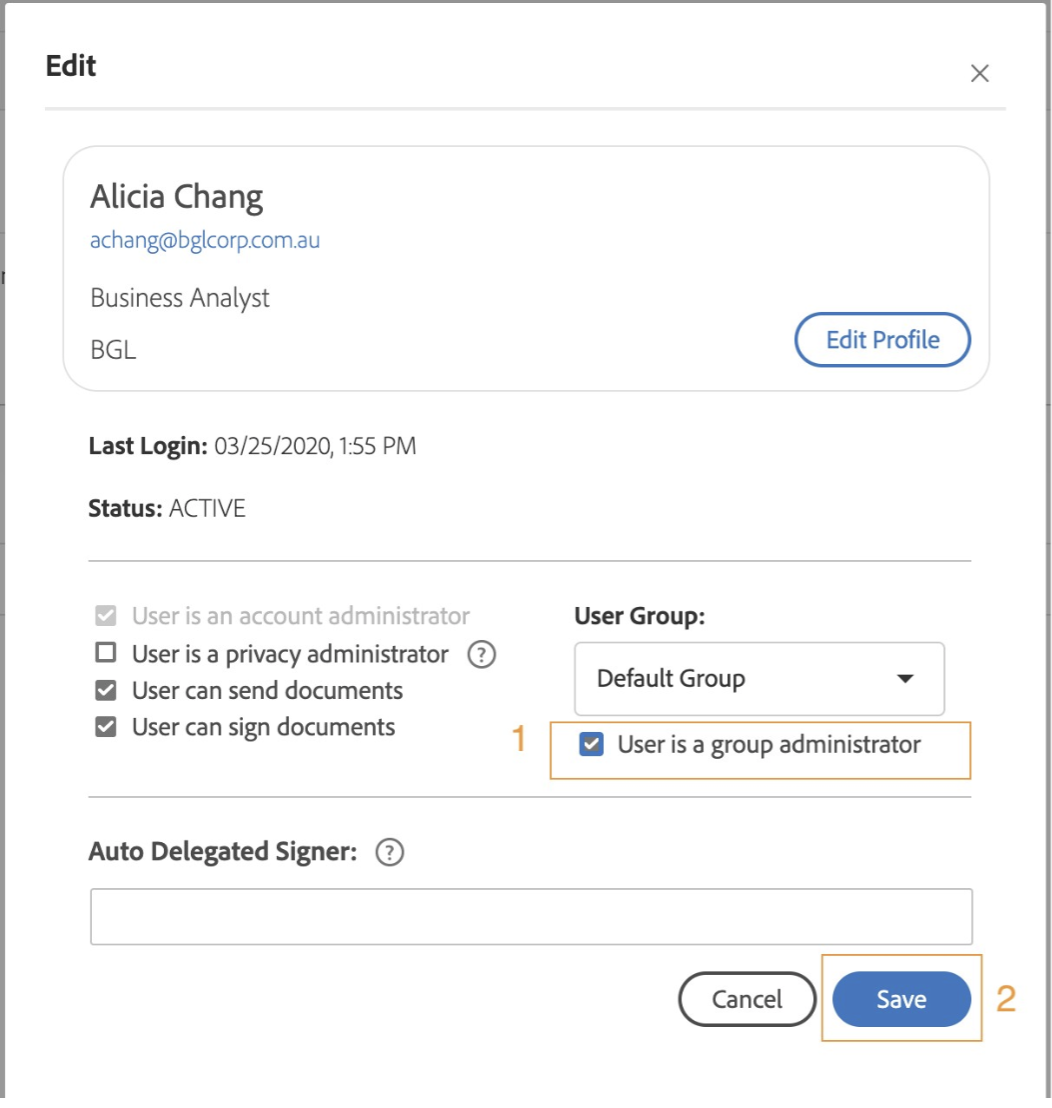
1. Ensure a tick is beside the User is a group administrator
2. Click Save to confirm any changes.
Alternatively click Cancel to exit the screen without saving.