Details
A Data Protection Officer is responsible for ensuring the company they are responsible for processes personal data in accordance with the data protection rules, specifically the Personal Data Protection Act 2012.
While there is no requirement for the DPO to reside in Singapore, they should be contactable from Singapore and available during business hours in Singapore.
Navigation
| From the Main Toolbar, go to Company. |
|
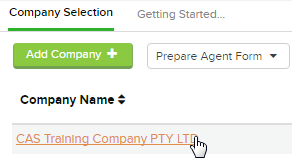
| Select the Company from the list. |
|
| Select Relationships |  |

Click 
Select Data Protection Officer
Instructions
CAS 360 will display the Add/edit Data Protection Officer screen.
| Field | Explanation |
|---|---|
| Data Protection Officer's Name |
Begin typing the Data Protection Officer's name. CAS 360 will begin searching the Global Contact screen for the person. If the Contact has not been previously added to the Global Contact screen, Click |
| Designation | Enter the designation for the Data Protection Officer |
| Status |
Select the status of the Data Protection Officer:
|
| Date Appointed | Enter the appropriate appointment date of the Data Protection Officer. |
| Date Withdrawn |
Enter the appropriate withdrawal date for the Data Protection Officer.
|


Forms Prepared
By selecting  , CAS 360 will display the Document Production screen and automatically select the documents required:
- Cover Letter
- Consent to Act as Data Protection Officer
- Company Change Summary
- Members Minutes or Resolution
- Directors Minutes or Resolution
- Cover Letter
- Data Protection Officer Withdrawal Letter
- Company Change Summary
- Members Minutes or Resolution
- Directors Minutes or Resolution
Select the icon to change any of the document settings. Different options will appear depending on the document type.